為小型企業減少重複財務工作
为小型企业减少重复财务工作
Reduce Repetitive Finance Work for Small Businesses
把時間還給事業
打造自己的智慧辦公室
把时间还给事业
打造自己的智慧办公室
Reclaim Your Time,
Build Your Smart Office
微企科技連線透過 AI 自動整理銀行對帳、發票與單據,即時產生財務報表,讓您清楚掌握現金流與營運狀況,專注成長,不再被瑣事綁住。
微企科技连线透过 AI 自动整理银行对账、发票与单据,即时产生财务报表,让您清楚掌握现金流与营运状况,专注成长,不再被琐事绑住。
Tech Connect SME uses AI to automatically organise bank statements, invoices and receipts, generating real-time financial reports so you can stay on top of cash flow, focus on growth, and stop getting buried in paperwork.
AI 智能識別
AI 智能识别
AI Recognition
快速準確
快速准确
Fast & Accurate
自動對帳分類
自动对账分类
Auto Reconciliation
節省時間
节省时间
Save Time
銀行級安全
银行级安全
Bank-Level Security
安心可靠
安心可靠
Safe & Reliable
即時財務洞察
即时财务洞察
Real-Time Insights
決策更快
决策更快
Decide Faster
45 秒認識微企科技連線
45 秒认识微企科技连线
Meet Tech Connect SME in 45 Seconds
簡單了解微企科技連線如何協助小型企業和會計師處理銀行月結單、覆核交易資料、整理發票及查看財務信息。
简单了解微企科技连线如何协助小型企业和会计师处理银行月结单、复核交易资料、整理发票及查看财务信息。
Get a quick overview of how Tech Connect SME helps small businesses and accountants review bank statements, organise invoices, check extracted data and understand financial information.
為小型企業和會計專業人員而設計
为小型企业和会计专业人员而设计
Designed for Small Businesses and Accounting Professionals
先從最常見、最耗時的財務文件整理開始,讓日常行政和對帳工作變得更清楚。
先从最常见、最耗时的财务文件整理开始,让日常行政和对账工作变得更清楚。
Start with the finance documents that create the most repetitive work, then make daily admin and reconciliation easier to manage.
01
一人公司與微型企業
一人公司与微型企业
Solo companies and micro businesses
即使沒有專門財務團隊,也能更有系統地處理銀行月結單、發票和財務文件。
微企科技连线透过 AI 自动整理银行对账、发票与单据,即时产生财务报表,让您清楚掌握现金流与营运状况,专注成长,不再被琐事绑住。
Micro Enterprise Tech Connect uses AI to organise bank statements, invoices and receipts, then produces finance reports so owners can understand cash flow and operations clearly.
02
中小企業員工
中小企业员工
SME operations and finance staff
協助行政、營運或財務人員減少重複輸入和人工檢查。
微企科技连线透过 AI 自动整理银行对账、发票与单据,即时产生财务报表,让您清楚掌握现金流与营运状况,专注成长,不再被琐事绑住。
Micro Enterprise Tech Connect uses AI to organise bank statements, invoices and receipts, then produces finance reports so owners can understand cash flow and operations clearly.
03
會計師
会计师
Accountants
協助整理不同公司客戶的財務文件和交易資料。
微企科技连线透过 AI 自动整理银行对账、发票与单据,即时产生财务报表,让您清楚掌握现金流与营运状况,专注成长,不再被琐事绑住。
Micro Enterprise Tech Connect uses AI to organise bank statements, invoices and receipts, then produces finance reports so owners can understand cash flow and operations clearly.
邁向智慧辦公室的第一步
迈向智慧办公室的第一步
The First Step Towards a Smart Office
從銀行月結單資料提取、發票整理、結餘檢查和對帳建議開始,微企科技連線協助企業逐步減少日常辦公中的重複工作。
从银行月结单资料提取、发票整理、结余检查和对账建议开始,微企科技连线协助企业逐步减少日常办公中的重复工作。
Starting with bank statement extraction, invoice organisation, balance checks and reconciliation suggestions, Tech Connect SME helps businesses reduce repetitive office work step by step.
AI 協助整理,由用戶覆核確認
AI 协助整理,由用户复核确认
AI-Assisted, User-Verified
智能提取銀行交易資料
智能提取银行交易资料
Intelligent bank transaction extraction
上傳數字銀行月結單,由系統協助提取日期、交易說明、存入、支出和結餘。
微企科技连线透过 AI 自动整理银行对账、发票与单据,即时产生财务报表,让您清楚掌握现金流与营运状况,专注成长,不再被琐事绑住。
Micro Enterprise Tech Connect uses AI to organise bank statements, invoices and receipts, then produces finance reports so owners can understand cash flow and operations clearly.
原始文件與數據並排覆核
原始文件与数据并排复核
Side-by-side document and data review
一邊查看原始 PDF,一邊檢查、修改和補充系統提取的交易資料。
微企科技连线透过 AI 自动整理银行对账、发票与单据,即时产生财务报表,让您清楚掌握现金流与营运状况,专注成长,不再被琐事绑住。
Micro Enterprise Tech Connect uses AI to organise bank statements, invoices and receipts, then produces finance reports so owners can understand cash flow and operations clearly.
自動檢查結餘是否一致
自动检查结余是否一致
Automatic balance consistency checks
系統重新計算交易結餘,並提示需要人工檢查的不一致項目。
微企科技连线透过 AI 自动整理银行对账、发票与单据,即时产生财务报表,让您清楚掌握现金流与营运状况,专注成长,不再被琐事绑住。
Micro Enterprise Tech Connect uses AI to organise bank statements, invoices and receipts, then produces finance reports so owners can understand cash flow and operations clearly.
整理發票並建議交易匹配
整理发票并建议交易匹配
Organise invoices and suggest transaction matches
上傳已有發票後,系統提取交易對象和金額,並建議可能對應的銀行交易,由用戶確認或拒絕。
微企科技连线透过 AI 自动整理银行对账、发票与单据,即时产生财务报表,让您清楚掌握现金流与营运状况,专注成长,不再被琐事绑住。
Micro Enterprise Tech Connect uses AI to organise bank statements, invoices and receipts, then produces finance reports so owners can understand cash flow and operations clearly.
記帳、儀表板與數據導出
记账、仪表板与数据导出
Bookkeeping, dashboards and data export
集中查看日記帳、分類帳和財務概覽,並支援 CSV 導出。
微企科技连线透过 AI 自动整理银行对账、发票与单据,即时产生财务报表,让您清楚掌握现金流与营运状况,专注成长,不再被琐事绑住。
Micro Enterprise Tech Connect uses AI to organise bank statements, invoices and receipts, then produces finance reports so owners can understand cash flow and operations clearly.
權限、自動備份、回收站與公司資料隔離
权限、自动备份、回收站与公司资料隔离
Permissions, Automatic Backup, Recycle Bin and Data Isolation
透過清晰的用戶角色、主管密碼驗證、自動備份、30 天回收站和公司資料隔離,協助企業更安全地管理財務記錄。即使資料被刪除,仍可輕鬆找回,讓用戶更安全、更安心。
微企科技连线透过 AI 自动整理银行对账、发票与单据,即时产生财务报表,让您清楚掌握现金流与营运状况,专注成长,不再被琐事绑住。
Micro Enterprise Tech Connect uses AI to organise bank statements, invoices and receipts, then produces finance reports so owners can understand cash flow and operations clearly.
傳統辦公 VS 智慧辦公室
传统办公 VS 智慧办公室
TRADITIONAL OFFICE VS SMART OFFICE
減少重複工作、降低人為錯誤,並讓財務資料更容易管理、查找和恢復。
减少重复工作、降低人为错误,并让财务资料更容易管理、查找和恢复。
Reduce repetitive work, lower human error, and make financial data easier to manage, find and recover.
傳統辦公痛點
传统办公痛点
Traditional Office Challenges
微企科技連線方案
微企科技连线方案
Tech Connect SME Solutions
人手整理及輸入資料耗時人工整理及输入资料耗时Time-consuming manual data handling
AI 協助提取和整理銀行月結單及發票資料AI 协助提取和整理银行月结单及发票资料AI-assisted extraction and organisation of bank statement and invoice data
紙本及文件分散混亂纸本及文件分散混乱Scattered paper and digital documents
集中數碼化管理財務文件集中数字化管理财务文件Centralised digital financial document management
錯誤及結餘差異難以發現错误及结余差异难以发现Errors and balance differences are difficult to identify
自動檢查結餘並提示差異自动检查结余并提示差异Automatic balance checks and discrepancy alerts
人工對帳耗時人工对账耗时Manual reconciliation takes time
提供交易與發票匹配建議,由用戶確認提供交易与发票匹配建议,由用户确认Transaction and invoice matching suggestions for user confirmation
誤刪資料難以找回误删资料难以找回Deleted data is difficult to recover
自動備份及 30 天回收站,資料仍可輕鬆找回自动备份及 30 天回收站,资料仍可轻松找回Automatic backup and a 30-day recycle bin for easy retrieval
看看微企科技連線的實際操作畫面
看看微企科技连线的实际操作画面
See Tech Connect SME in Action
選擇一項功能,了解目前已完成測試的實際操作方式。
选择一项功能,了解目前已完成测试的实际操作方式。
Select a feature to explore its tested product experience.
上傳銀行月結單 PDF,讓文件進入資料提取和覆核流程。當文件無法清楚識別時,用戶仍可使用人工輸入補充資料。
微企科技连线透过 AI 自动整理银行对账、发票与单据,即时产生财务报表,让您清楚掌握现金流与营运状况,专注成长,不再被琐事绑住。
Micro Enterprise Tech Connect uses AI to organise bank statements, invoices and receipts, then produces finance reports so owners can understand cash flow and operations clearly.
在原始銀行文件旁查看提取後的日期、交易說明、存入、支出和結餘,並在保存前修改或補充資料。
微企科技连线透过 AI 自动整理银行对账、发票与单据,即时产生财务报表,让您清楚掌握现金流与营运状况,专注成长,不再被琐事绑住。
Micro Enterprise Tech Connect uses AI to organise bank statements, invoices and receipts, then produces finance reports so owners can understand cash flow and operations clearly.
系統重新計算交易結餘,並標記需要人工檢查的不一致項目,協助用戶在保存前找出問題。
微企科技连线透过 AI 自动整理银行对账、发票与单据,即时产生财务报表,让您清楚掌握现金流与营运状况,专注成长,不再被琐事绑住。
Micro Enterprise Tech Connect uses AI to organise bank statements, invoices and receipts, then produces finance reports so owners can understand cash flow and operations clearly.
系統根據已有發票和銀行交易提供可能的匹配建議,最終由用戶確認或拒絕。用戶亦可以手動匹配交易及發票。
微企科技连线透过 AI 自动整理银行对账、发票与单据,即时产生财务报表,让您清楚掌握现金流与营运状况,专注成长,不再被琐事绑住。
Micro Enterprise Tech Connect uses AI to organise bank statements, invoices and receipts, then produces finance reports so owners can understand cash flow and operations clearly.
集中查看收入、支出及淨利,並支援基礎記帳與財務報表檢視。
微企科技连线透过 AI 自动整理银行对账、发票与单据,即时产生财务报表,让您清楚掌握现金流与营运状况,专注成长,不再被琐事绑住。
Micro Enterprise Tech Connect uses AI to organise bank statements, invoices and receipts, then produces finance reports so owners can understand cash flow and operations clearly.
企業主/主管可建立及管理文員帳戶,方便分配日常操作工作。
微企科技连线透过 AI 自动整理银行对账、发票与单据,即时产生财务报表,让您清楚掌握现金流与营运状况,专注成长,不再被琐事绑住。
Micro Enterprise Tech Connect uses AI to organise bank statements, invoices and receipts, then produces finance reports so owners can understand cash flow and operations clearly.
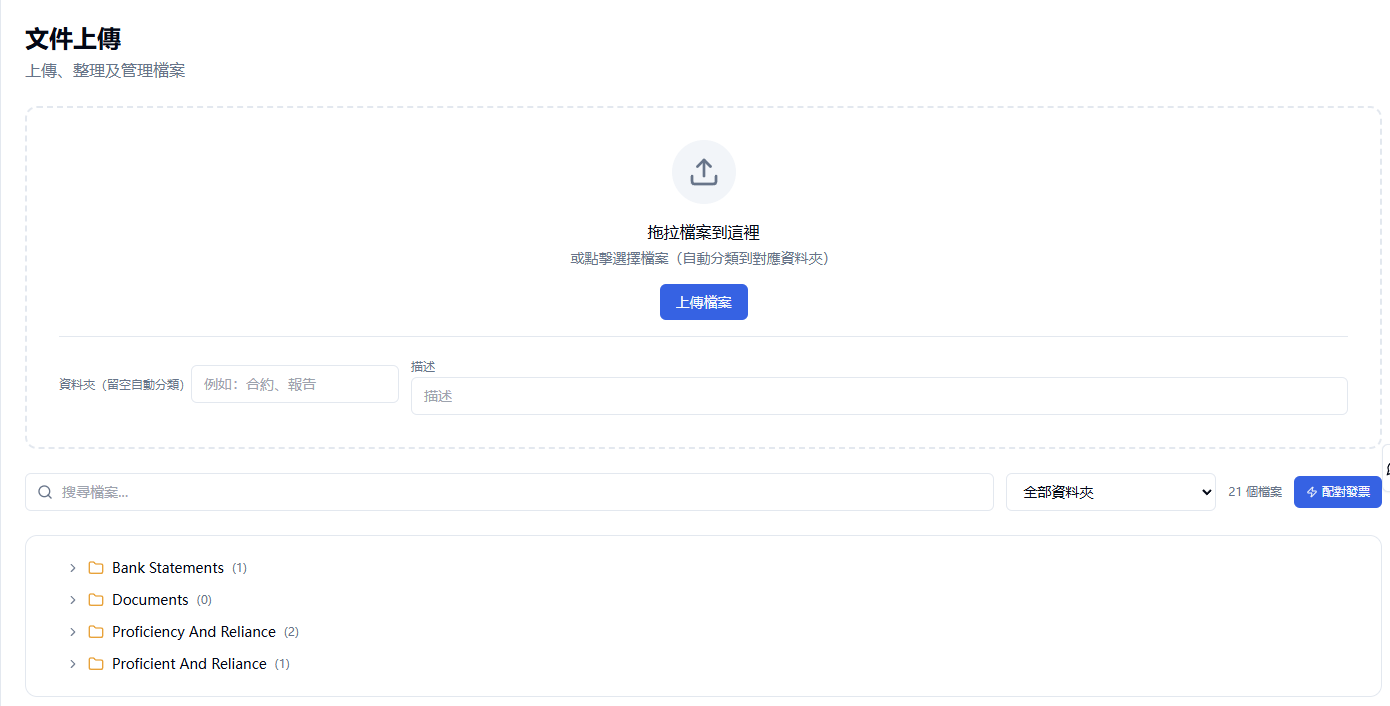
數據管理與權限
数据管理与权限
Data Management & Permissions
透過清晰的用戶角色、主管密碼驗證、30 天回收站和公司資料隔離,協助企業更安全地管理財務記錄。
通过清晰的用户角色、主管密码验证、30 天回收站和公司资料隔离,协助企业更安全地管理财务记录。
Manage financial records more safely with clear user roles, Owner / Supervisor password verification, a 30-day recycle bin and company-level data isolation.
三種用戶角色
三种用户角色
Three User Roles
企業主/主管 — 擁有單一客戶公司的完整管理權限,可管理公司設定、處理財務資料及建立一個或多個文員帳戶。
文員 — 負責上傳文件、覆核交易資料、查看對帳結果及其他獲授權的日常工作。
會計 — 可管理獲分配的多個客戶,並對這些客戶擁有企業主級別權限,但不能查看未獲分配的客戶。
微企科技连线透过 AI 自动整理银行对账、发票与单据,即时产生财务报表,让您清楚掌握现金流与营运状况,专注成长,不再被琐事绑住。
Micro Enterprise Tech Connect uses AI to organise bank statements, invoices and receipts, then produces finance reports so owners can understand cash flow and operations clearly.
主管密碼驗證、自動備份與 30 天回收站
主管密码验证、自动备份与 30 天回收站
Password Verification, Automatic Backup and 30-Day Recycle Bin
企業主/主管、文員和會計都可以發起刪除。每次刪除前,必須由企業主/主管輸入密碼確認。驗證成功後,資料會移至回收站並保留 30 天。系統設有自動備份,即使資料被刪除,仍可輕鬆找回,讓用戶更安全、更安心。
微企科技连线透过 AI 自动整理银行对账、发票与单据,即时产生财务报表,让您清楚掌握现金流与营运状况,专注成长,不再被琐事绑住。
Micro Enterprise Tech Connect uses AI to organise bank statements, invoices and receipts, then produces finance reports so owners can understand cash flow and operations clearly.
公司資料隔離
公司资料隔离
Company Data Isolation
每個客戶公司的資料保持獨立。企業主/主管和文員只能查看所屬公司的資料;會計可以查看獲分配的多個客戶,但不能查看未獲分配的公司資料。
微企科技连线透过 AI 自动整理银行对账、发票与单据,即时产生财务报表,让您清楚掌握现金流与营运状况,专注成长,不再被琐事绑住。
Micro Enterprise Tech Connect uses AI to organise bank statements, invoices and receipts, then produces finance reports so owners can understand cash flow and operations clearly.
常見問題
常见问题
Frequently Asked Questions
目前支持哪些銀行月結單?
目前支持哪些银行月结单?
Which bank statements are currently supported?
目前已完成匯豐銀行、渣打銀行和恆生銀行數字 PDF 的測試。
目前已完成汇丰银行、渣打银行和恒生银行数字 PDF 的测试。
Digital PDF statements from HSBC, Standard Chartered and Hang Seng Bank have currently been tested.
可以上傳甚麼文件?
可以上传什么文件?
What documents can be uploaded?
目前主要支援銀行月結單 PDF 和已有發票 PDF。
目前主要支持银行月结单 PDF 和已有发票 PDF。
The platform currently focuses on bank statement PDFs and existing invoice PDFs.
AI 識別錯誤時怎麼辦?
AI 识别错误时怎么办?
What if the AI makes a recognition error?
用戶可以在覆核頁面修改字段、增加遺漏的交易資料;當文件無法清楚識別時,也可以使用人工輸入。
用户可以在复核页面修改字段、增加遗漏的交易资料;当文件无法清楚识别时,也可以使用人工输入。
Users can edit fields, add missing transaction rows and use manual entry when a document cannot be clearly recognised.
系統是否會自動完成對帳?
系统是否会自动完成对账?
Does the system auto-reconcile?
系統會建議發票與銀行交易的匹配結果,最終由用戶確認或拒絕。
系统会建议发票与银行交易的匹配结果,最终由用户确认或拒绝。
The system suggests possible matches between invoices and bank transactions. Users make the final confirmation or rejection.
系統可以生成發票嗎?
系统可以生成发票吗?
Can the system generate invoices?
目前支援上傳和整理已有發票,暫時不支援在系統內生成發票。
目前支持上传和整理已有发票,暂时不支持在系统内生成发票。
The platform currently supports uploading and organising existing invoices. Invoice generation is not currently available.
刪除資料後可以恢復嗎?
删除资料后可以恢复吗?
Can deleted records be restored?
企業主/主管、文員和會計都可以發起刪除操作,但每次刪除前都必須輸入企業主/主管密碼。驗證成功後,資料會進入 30 天回收站,並可在保留期內恢復。
企业主/主管、文员和会计都可以发起删除操作,但每次删除前都必须输入企业主/主管密码。验证成功后,资料会进入 30 天回收站,并可在保留期内恢复。
Owner / Supervisor, Staff and Accountant users can initiate a deletion, but every deletion requires the Owner / Supervisor password. After verification, the record is moved to the 30-day recycle bin and can be restored during the retention period.
是否支持多家公司?
是否支持多家公司?
Does it support multiple companies?
每個客戶只能查看自己的公司資料。會計可以查看獲分配的多個客戶,但不能查看未獲分配的公司。
每个客户只能查看自己的公司资料。会计可以查看获分配的多个客户,但不能查看未获分配的公司。
Each client can only access its own company data. Accountants can view multiple assigned clients, but cannot access unassigned companies.
是否可以導出數據?
是否可以导出数据?
Can data be exported?
目前記帳模組支援 CSV 導出。
目前记账模块支持 CSV 导出。
The bookkeeping module currently supports CSV export.
註冊後會立即獲得系統帳戶嗎?
注册后会立即获得系统账户吗?
Will I get a system account immediately after registering?
註冊只代表提交申請。完成付款和客戶設置後,系統會建立獨立工作空間,例如 abc.techforliving.net,並生成企業主/主管帳戶和初始密碼,通過電郵發送給申請人。首次登錄後必須修改密碼,之後可以建立一個或多個文員帳戶。
注册只代表提交申请。完成付款和客户设置后,系统会建立独立工作空间,例如 abc.techforliving.net,并生成企业主/主管账户和初始密码,通过电邮发送给申请人。首次登录后必须修改密码,之后可以建立一个或多个文员账户。
Registration only represents submitting an application. After payment and client setup are completed, the system creates a dedicated workspace (e.g. abc.techforliving.net), generates an Owner / Supervisor account with an initial password, and sends it to the applicant by email. The password must be changed on first login, after which one or more Staff accounts can be created.
服務條款與退款政策
服务条款与退款政策
Terms of Service & Refund Policy
使用微企科技連線前,請了解以下重要安排:
使用微企科技连线前,请了解以下重要安排:
Before using Tech Connect SME, please review these important arrangements:
1
訂閱與續訂
订阅与续订
Subscription and Renewal
服務可能按月或按年計費,並按所選訂閱安排自動續訂。
微企科技连线透过 AI 自动整理银行对账、发票与单据,即时产生财务报表,让您清楚掌握现金流与营运状况,专注成长,不再被琐事绑住。
Micro Enterprise Tech Connect uses AI to organise bank statements, invoices and receipts, then produces finance reports so owners can understand cash flow and operations clearly.
2
取消服務
取消服务
Cancellation
用戶可在下一個計費週期開始前取消,並繼續使用至當期結束。
微企科技连线透过 AI 自动整理银行对账、发票与单据,即时产生财务报表,让您清楚掌握现金流与营运状况,专注成长,不再被琐事绑住。
Micro Enterprise Tech Connect uses AI to organise bank statements, invoices and receipts, then produces finance reports so owners can understand cash flow and operations clearly.
3
退款安排
退款安排
Refunds
除適用法律或完整條款明確列出的特殊情況外,已支付的訂閱費用不予退款。
微企科技连线透过 AI 自动整理银行对账、发票与单据,即时产生财务报表,让您清楚掌握现金流与营运状况,专注成长,不再被琐事绑住。
Micro Enterprise Tech Connect uses AI to organise bank statements, invoices and receipts, then produces finance reports so owners can understand cash flow and operations clearly.
本摘要僅供快速了解,實際安排以完整條款為準。
本摘要仅供快速了解,实际安排以完整条款为准。
This summary is provided for convenience. The full Terms govern your use of the Service.
預約了解
预约了解
Get in touch
看看微企科技連線是否適合你的財務工作
看看微企科技连线是否适合你的财务工作
See Whether Tech Connect SME Fits Your Finance Workflow
帶上你目前使用的銀行月結單、發票或財務文件,我們會透過產品演示了解你的處理方式,並討論合適的試用範圍。
带上你目前使用的银行月结单、发票或财务文件,我们会通过产品演示了解你的处理方式,并讨论合适的试用范围。
Bring sample bank statements, invoices or financial documents to a product demonstration, and discuss a suitable pilot scope with our team.

或掃描 QR Code 透過 WhatsApp 聯絡
或扫描 QR Code 透过 WhatsApp 联络
Or scan the QR code to reach us on WhatsApp
+852 9652 0301
Joseph Lin 練沛強